

Can I see my past conversations with Sunny?
Can I see my past conversations with Sunny?
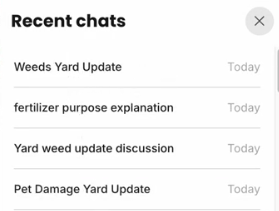
Yes! Sunny now saves your chat history, so you can revisit old conversations or pick up right where you left off.
Here's how to find it on your desktop:
1. Log into your Account at Getsunday.com
2. Click on the Sunny icon on the right hand side of the screen

3. Tap the clock icon in the top corner of the chat window

4. You'll see a list of your past conversations, newest first. Tap any one to reopen it.